Omega 365 Release Notes - Week 22
Week 22
* Product Release Notes Video (EN) - Product Release Notes Video (NO)
General
Notifications
The 'unread' notification list is set to be the first column that users see when they click on the notification bell.
Complete
Handover Activities Skyline
The user can view the status of handover activities in the Skyline. Also, when clicking on an activity in the skyline a popup will appear with handover details: The skyline activity is marked with an exclamation mark to indicate if something is outstanding. These marks are displayed in different colors, each color represents a specific status:
* Red: Outstanding Handover category A Punch Items
* Orange: Outstanding other Punch Items than category A.
* Turquoise: Outstanding Related Activities
Project Status
Plans & Schedules
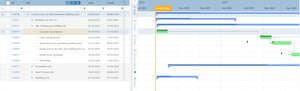
Planned progress is automatically recalculated every 12 hour. This can also be executed manually:
- Default Calendar is now for new activities only. User is notified with a dialog when changing the default calendar, with an option to change all activities that has the same calendar to the new one:
- A milestone icon has been added for summary activities. This icon indicates whether there are milestones under the parent activity that are completed or not: 
Lesson Learned
- Categories can only be set/changed in the Lesson Learned Setup app.
- 'Dicipline' has been included as an option to the Lesson Learned, both in the register as a column and within the Lesson Learned details.