Omega 365 Release Notes - Week 40
Highlights of this release:
Workflow
There are several improvements available in workflow, making it even more powerful and allowing for more configuration and customization:
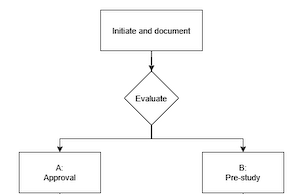
Parallel steps/tasks in workflows
It is now possible to initiate multiple steps/tasks simultaneously in a workflow. In the "Process Steps" section, you will find a dedicated column for "Steps Steps" where you can define which other steps/tasks should be initiated concurrently when you reach this step.

Step/Task preparation
Certain steps/tasks may require more preparation before they are activated for the right Responsible. This could typically include a specific scope of work, a materials list, or a designated person fixed to it. Here, we can also include "instructions" so that the person preparing the step knows what is expected of them.
By marking a step as "Require WorkPrep" (in Steps Steps), the step that initiates subsequent steps will have this step available in its workflow. This step will not be "active" until the work preparations are complete, which happens when the initiating step is marked as finished.
Support for integrating web components into workflow steps
This improvement allows the creation of workflows that seamlessly incorporate standard functionality available, or custom apps, with a dedicated data model.
Cost- and Contract Management - Milestones
It is now possible to link Milestones to the Cost Project Setup app and to Contract Elements.
In the app for Cost Project Setup, it is added a new tab for "Milestones", which enables adding new milestones for cost projects:

For Contract Elements, it is added a new column for "Milestones", which enables setting milestones for each contract element:

BIM - Create fragments from selection
Added functionality for creating fragments from object selection in Setup Viewer (only available from BIM Setup). Select objects and use the function for "Create fragment from selection", and the fragments will then appear in the tab for "Fragments" marked with "From Selection" in group.

For an overview of other improvements done in Omega 365, see the below "Release Notes" report: